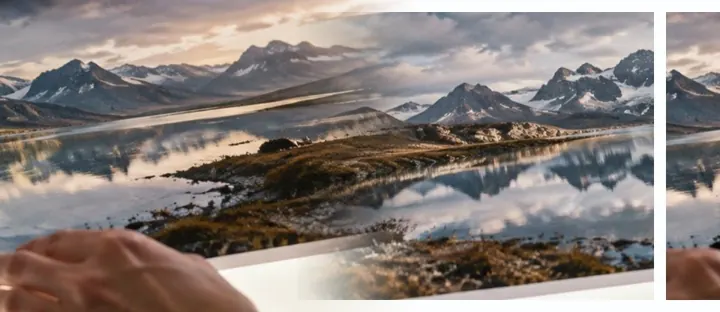
A join that is a fade, not a line
Putting photos side by side leaves a seam: a gap, or a hard edge where one picture stops and the next starts. A seamless collage replaces that edge with an overlap. The later photo fades in across it — the same kind of gradient the blender uses for a fade — so the two pictures melt into each other. The overlap is counted honestly: the finished width is the photos minus what they share.
Joining photos softly
- Add the photos in orderLeft to right (or top to bottom in Stack) is the tray order.
- Set the overlapWider overlaps are softer and hide more of each edge.
- Pick the curve and the blendSmooth suits most photos; Lighter wins suits skies.
- ExportAt the pictures' own pixels, or at a width you type.
Where it stops
This is a crossfade, not panorama stitching: no warping, no lens correction, no feature matching. Photos that do not continue into each other will show a ghosted band where they overlap — that is what a crossfade of two different scenes looks like.
Questions people ask
What makes the collage seamless?
Each photo overlaps the one before it, and across the overlap it fades in from nothing to full strength. Where two photos meet there is a soft crossfade instead of a hard edge or a gap.
How wide is the overlap?
You set it as a share of the narrower photo along the join, from 0 to 50%. 20% is the starting point; wider is softer and hides more of each edge.
Is this a panorama stitcher?
No. Nothing is warped and no features are matched — it is a crossfade join, which works best when the photos already continue into each other (a sky, a sea, a wall). A true panorama needs stitching software.
What do Lighter wins and Darker wins do?
Inside the overlap, Lighter wins keeps whichever photo is brighter at each point — good for joining two skies — and Darker wins keeps the darker one, good for shadows and ink. Outside the overlap each photo is drawn as it is.
Why is the output narrower than the photos added up?
Because the overlaps are shared. The size readout shows it as a sum: margin + photo − overlap + photo + margin.
Top to bottom?
Yes — switch to Stack in the arrangement bar and the seams run across instead of down.
Are my photos uploaded?
No. The join is drawn in this tab and the file is written here.